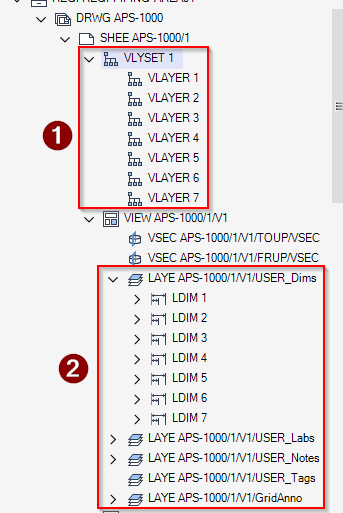
For annotations created in Draw, two distinct kinds of Layer elements are involved:
- LAYER(LAYE) — these control how annotation elements are organized below the View. This is the mechanism used by ADP, where created elements are placed under LAYER elements (2).
- Visual Layers (VLAYER) — these handle the graphical representation of annotation elements in the drawing. They are created directly in the drawing and stored inside VLYSET (1).
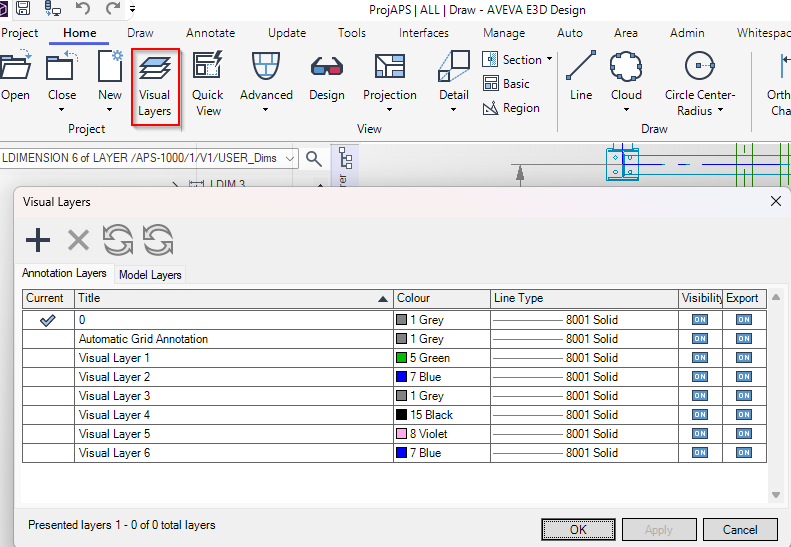
– Visual LAYERS can be created using the form available in the “Home” tab:
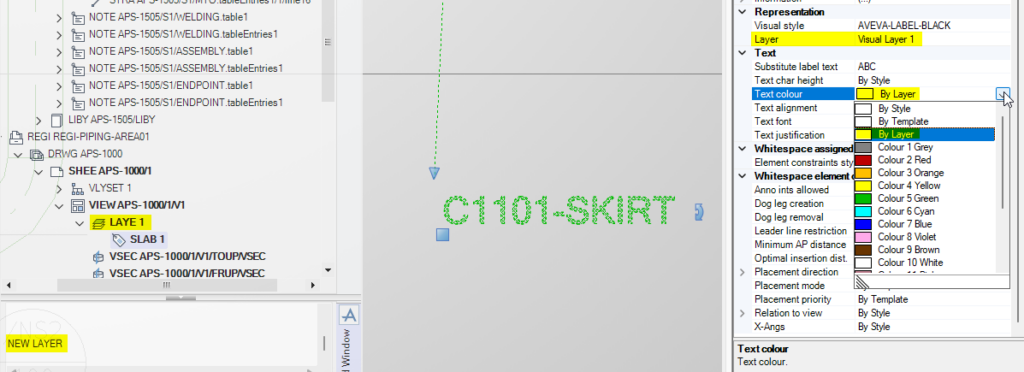
LAYERS can be created directly from the command line using NEW LAYER, positioned below the VIEW. When this element is set as the CE, any annotation you create will be stored underneath it.
When an attribute of an element is defined as “By Layer”—for example, text color—the value is taken from the VLAYER referenced by that element. In other words, the visual properties are inherited from the VLAYER assigned to it.