
Workstation Configuration
The recommended configuration for AVEVA Unified Engineering 2.0 requires a 64‑bit operating system for both installation and operation.
| Configuration | Recommendation |
| Operating System(s) | • Windows® 11 21H2 (64-bit) (version 22000 or higher)• Windows® 10 20H2 (64-bit) (version 19042 or higher) |
| Processor Type / Speed | Intel x64 compatible – CPU with high performance in each processor core. |
| Memory | 16 GB of high-speed RAM |
| Hard Disk Storage | A full installation requires approximately 1GB of drive space.In addition, extra capacity is usually required for local storage and data; this may be used for the database cache where the AVEVA Client Cache Service is employed.The use of two SATA-300 RAID HDDs is recommended where projects are stored on the local machine. The product has also been verified with solid state HDDs. |
| Display | High resolution widescreen displays recommended (1920 x 1200); dual screens also supported. |
| Graphics Card | NVIDIA RTX, Quadro or similar e.g., the product has been verified with NVIDIA Quadro P4000, NVIDIA Quadro RTX4000 (desktop) and NVIDIA Quadro T2000, NVIDIA RTX A3000 (laptop). |
Graphics Cards
To achieve best performance, AVEVA Unified Engineering needs 3D graphics hardware supporting DirectX 12, which is built into Windows.
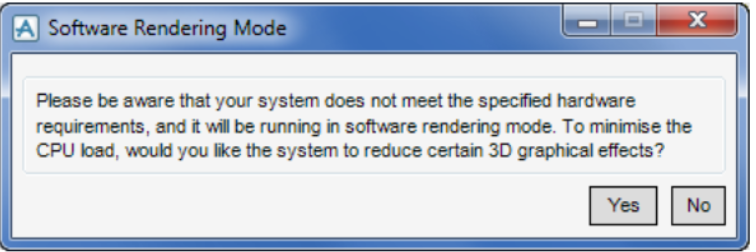
AVEVA Unified Engineering requires appropriate graphics hardware. Without it, the software will run with limited graphical effects, including limited laser data usage, and a warning will be displayed.
Where laser data is utilised, the Graphics Card Memory allocation is an important consideration as this is further exploited inthe visualization and manipulation of laser data (incl. HyperBubble™). Note that the system will post an error message onentering the HyperBubble where the GPU memory is less than 1GB
The AVEVA Unified Engineering release does not currently support AMD Radeon graphics cards.
For optimal graphical memory performance—particularly when working with laser data in Unified Engineering (E3D Design)—it is recommended to adjust the Physical Processor settings when using an NVIDIA graphics card.
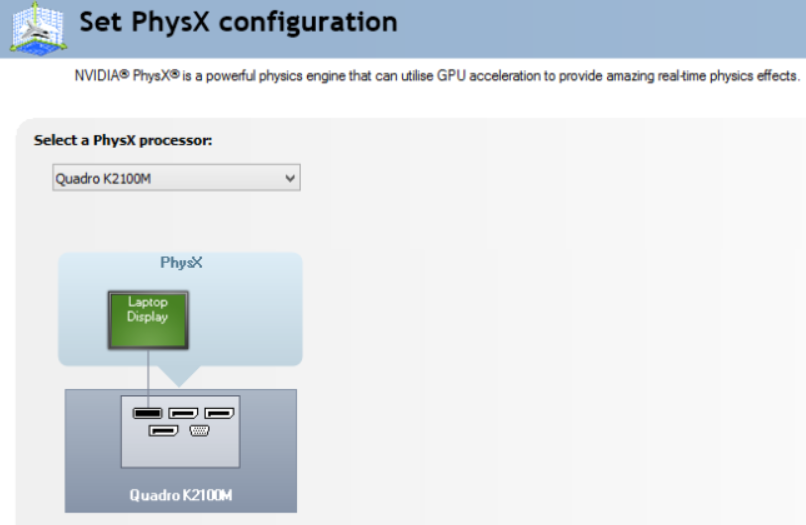
Configuring a GPU through the NVIDIA Control Panel enhances PhysX processing and can improve overall system performance.
Server Configuration
The recommended setup for using AVEVA Unified Engineering in a server environment requires a 64‑bit operating system for the installation of AVEVA Unified Engineering 2.0.
| Configuration | Recommendation |
| Operating System(s) | • Windows® Server 2022 (version 21H2 OS build 20348 or higher)• Windows® Server 2019 (version 1809 OS build 17763 or higher) |
| Processor Type / Speed | Intel x64 compatible – Modern architecture multiple core processors recommended.(AVEVA E3D Design has been verified using a Server Machine with 4 core CPUs). |
| Memory | 16 GB of high-speed RAM Additional RAM increases the caching capability and thereby the performance. |
| Hard Disk Storage | The amount of disk space should be configured according to the customer’s requirement based on the number and size of projects (incl. supporting laser data).To secure data and improve performance, the use of RAID 0+1 or 5 storage is recommended; 15k rpm drives are preferred. |
| File System | NTFSFor further information on NTFS, please refer to: https://docs.microsoft.com/enus/windows-server/storage/file-server/ntfs-overview. |
| Network | Gigabit Ethernet (GbE) LAN. 64-bit capable network adapter. The network should provide at least 1 Gb/sec for each workstation. Two or more network cards are recommended for increased performance and redundancy. |