
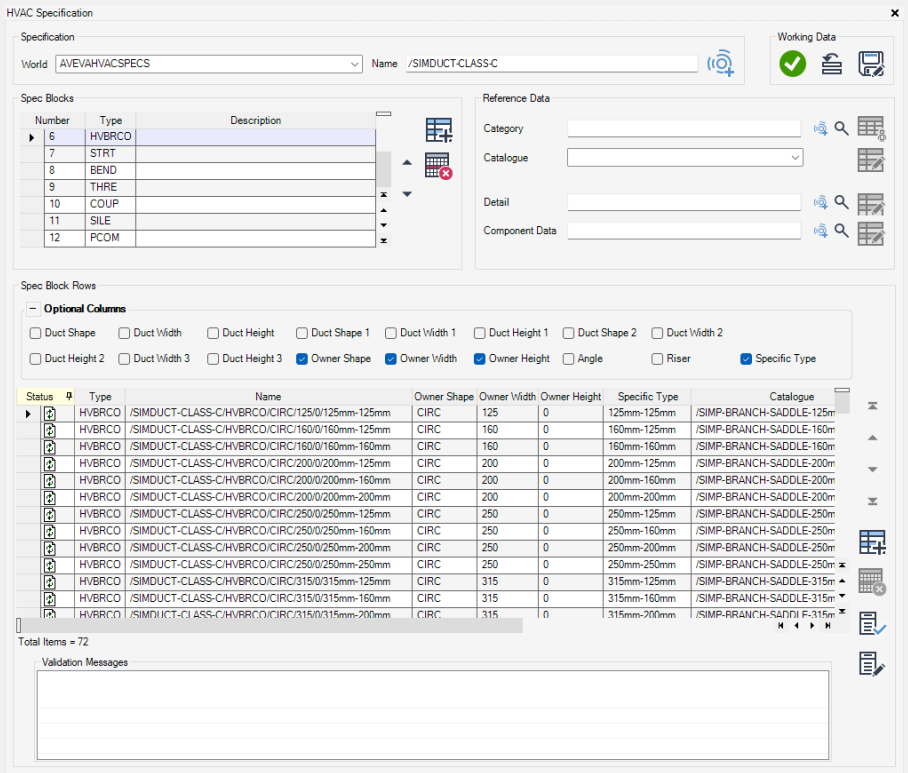
Specifications are a key new area for the HVAC application and behave in a similar manner to piping specifications. Instead of bore as a mandatory column heading we have shape, width, and depth
Note the depth field is left blank for circular ducting.
Specifications enable users to setup catalogues of manufacturer specific, off the shelf components for their project. The use of specification driven components gives confidence that designers are selecting widely available components rather than specifying potentially costly custom components.
The new HVAC Specifications form in Paragon enables administrators to build catalogues and operates in a similar manner to the piping specifications form. Sample specifications for circular and rectangular HVAC are supplied in the ACP project, in addition to the parametrized custom specification as included in previous versions of the HVAC application. The custom specification has been updated to include subcomponents and new shape attributes.
The Custom Settings allow settings including standard straight length to be set for different size ranges of custom components, and defaults allow specific defaults for components e.g. initial angles or minimum straight lengths to be set
The configuration of standards allows groupings of specifications and/or custom settings so that the designer can only access the correct subset of specifications on a given project.
Standards may include one or more manufacturer specifications or may include the parameterized Aveva custom specification. The custom specification must include at least one set of Custom Settings which govern material and other default attributes of the custom components.
A Standard may also include a mixture of fixed specifications and custom Settings which should be configured appropriately. This ensures that design integrity and materials type requirements are maintained when using a mixture of special custom pieces and off the shelf manufactured ducting
Please note that repeated use of the ‘Generate spec components for all components in the current category’ buttonwithin the HVAC Specification form to add components from a CATE for a given component type can lead to avalidation error due to the presence of multiple Specification Blocks of the same type.
Where components of the same type are required to be added to the same Specification Block it is recommended to export the specification for modification prior to import. Alternatively, the right-click Copy option followed by the right-click option Insert Copied Rows Above/Below can be used to add rows for each new component in the Spec Block Rows grid on the form. These limitations will be addressed in a future release.