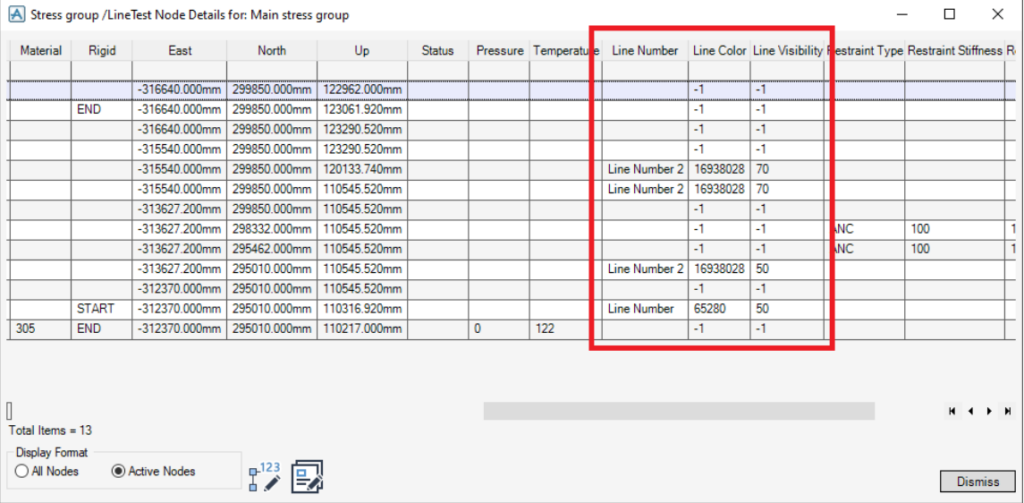
This release introduces the ability to define line number, line colour, and line visibility through the Pipe Stress Interface Settings form. The form has been updated to include three new expressions on the Expressions tab
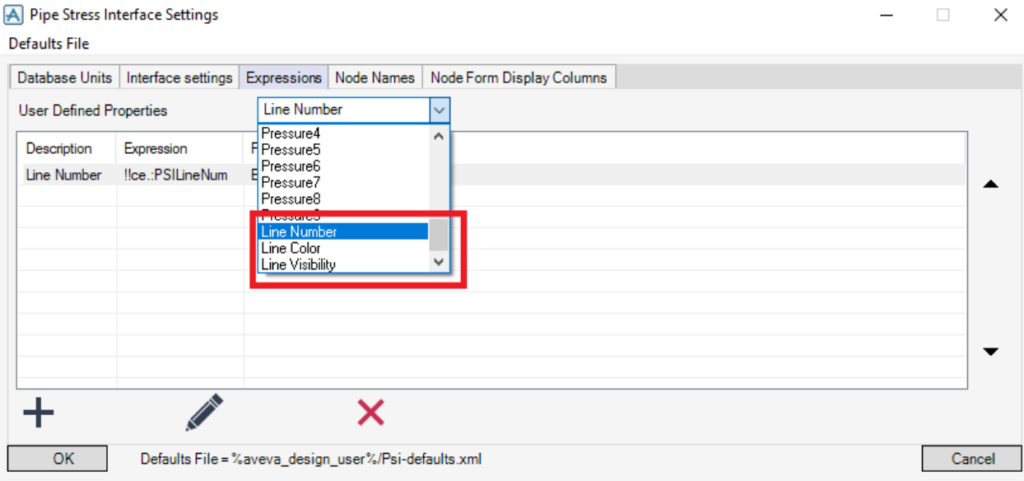
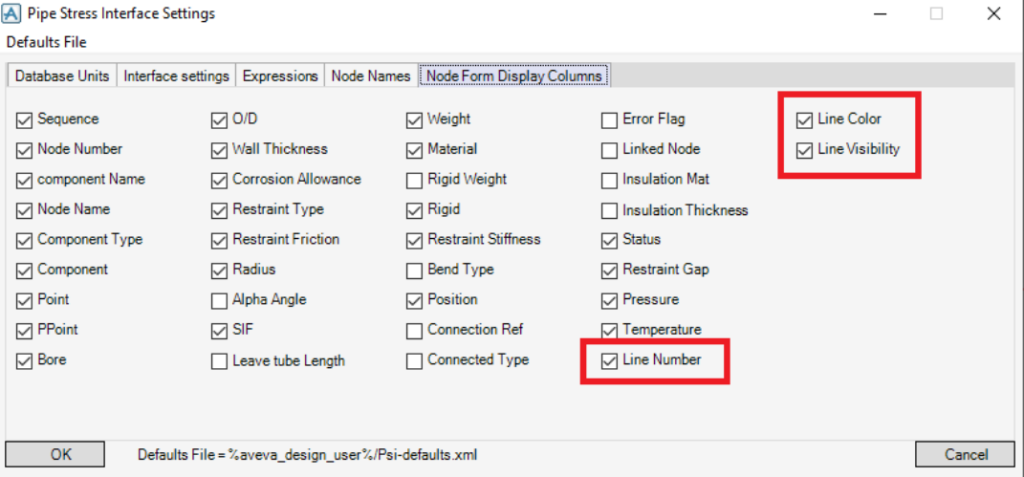
Similar to how component temperature is retrieved, you can define either an expression or a PML function to obtain line data from a component. Three new PSI UDAs—:PSILineNum, :PSILineColor, and :PSILineVisib—have been introduced to store and access this information. These additional line data columns can be displayed by enabling them in the Node Form’s Display Columns tab
“Currently, line number, line colour, and line visibility data can only be entered through the command line or via a PML macro.
The line number can be a text string (it does not need to be a number)
The line color needs to be in decimal color format. I.e to convert an RGB color to decimal use the following method.Decimal Color Value = R + (255*G) + (255*255*B)
The line visibility is a number between 0 and 100 and indicates the opacity of this section of pipe.