
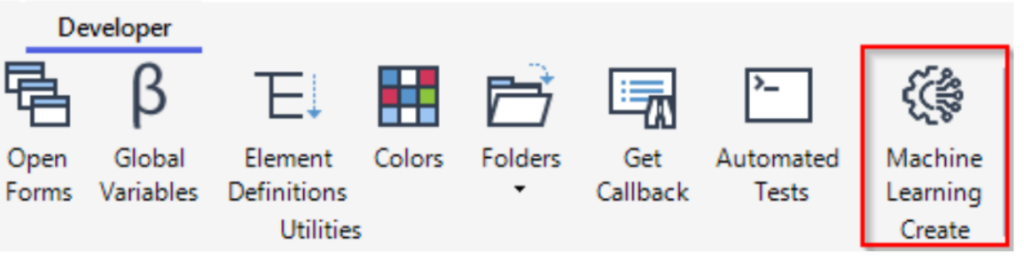
This release adds support for importing trained machine learning models created with Microsoft ML.NET into AVEVA PML using a PMLNETCALLABLE object. You can import an ML.NET model directly from the Model module interface by selecting Developer Tab and then choosing the Machine Learning option.
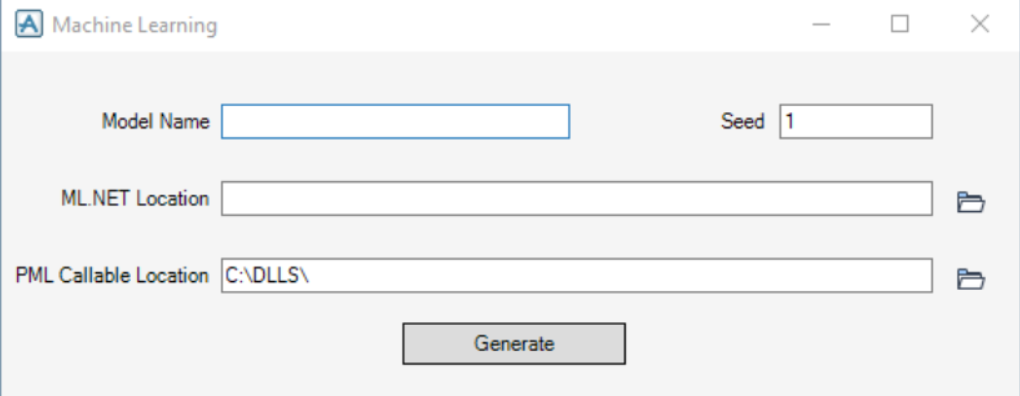
The user is required to fill in all fields in the Machine Learning form when prompted.
| Field Name | Data Type | Description |
|---|---|---|
| Model Name | STRING | Used to specify the name of the PMLNETCALLABLE object. |
| Seed | REAL | Seed value for Microsoft MLContext’s random number generator. Providing a fixed seed makes the ML.NET model environment deterministic, ensuring that results are repeatable and consistent across multiple runs. For more details, consult the Microsoft ML.NET documentation. |
| ML.NET Location | File Path (STRING) | Used to specify the location of the trained Microsoft ML.NET model. |
| PML Callable Location | File Path (STRING) | Used to specify the output location for the PMLNETCALLABLE DLL. |